Retail and game stores
Connect sales, secondhand intake, item labels, inventory, returns, and daily review.
Explore retail capabilities →
THE CASHTENDER POINT OF SALE SYSTEM
A customized POS for hospitality, retail, and entertainment.
Bring sales, inventory, customer or guest activity, payments, and management together in a system configured for your operation. Work directly with Spatial System Designs to define the features, equipment, integrations, and training your team needs.
Brochure & feature list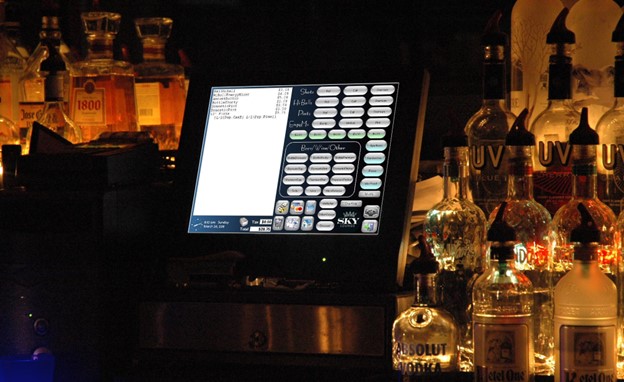
MORE WAYS TO USE CASHTENDER
Combine the sales, inventory, guest, and management capabilities your business needs.
Connect sales, secondhand intake, item labels, inventory, returns, and daily review.
Explore retail capabilities →Bring tee times, pro-shop sales, food and beverage, customer records, and outings together.
Explore golf capabilities →Connect guest activity, room charges, dining, retail, banquets, and special-event billing.
Explore lodging and events →TAKE A CLOSER LOOK
Read the full bar and restaurant brochure or start with the concise feature highlights.
BAR AND RESTAURANT FEATURES
From the first order to the end-of-day review, build a connected workflow around your business.
One-touch favorites, categorized menus, Quick Pick modifiers, drink-building choices, repeat-item entry, and meal packages configured around your menu.
A dining-room layout matched to your floor, table timing, reservations and waitlists, and up to 99 checks split before, during, or after order entry.
Cash, checks, customer tabs, partial payments, and configurable tips. Compatible payment integrations add chip and tap, digital wallets, card preauthorization, and at-table payment.
Hold, send, and fire items at the right point in service. Route orders to up to 10 kitchen and bar printers, add kitchen displays, and use configured item counts for sold-out items.
Plan website and QR ordering, selected delivery-platform integrations, staff tablets, customer-facing screens, and kiosks as part of the installation.
Recipe-based ingredient deduction, waste records, food-costing tools, liquor tracking, barcode scanning, and inventory reporting help connect sales with stock usage.
Employee time, tips, expenses, schedules, permissions, and optional fingerprint login. Guest records connect with gift, VIP, and promotional cards and purchase history.
Happy hour, employee discounts, and custom promotions, with percentage or dollar adjustments applied to an order, category, or individual item.
Review sales and tenders, reconcile drawers, complete server checkout, and examine comps, voids, payouts, No Sale activity, and credit-tip payouts.
Review selected date ranges, tailor reports, and provide owner or manager access away from the service station. Optional remote reporting and multi-location access extend the plan.
Select accounting for receivables, payables, vendors, expenses, and the general ledger, with optional payroll, time-off tracking, digital signage, and timed activities.
Configure a single station or network of terminals with your logo, colors, menus, and layouts. Plan equipment, installation, staff training, and support around your operation.
Local order entry and printing can continue during an internet outage while POS devices, the local network, and printers remain operational. Card processing, online ordering, and remote services depend on their selected equipment, providers, and connectivity.
Capabilities are configured for each installation; some require optional hardware, software, or integrations. Payment functions depend on the selected processor and terminal.
Menus, equipment, and business rules are planned together before the system reaches the service floor.
Review common orders, modifiers, tabs, table service, kitchen routing, and closeout with your staff. Use that walkthrough to identify the screens and options that deserve the quickest access.
Define menu entry, existing-data conversion, printer destinations, workstation placement, and network requirements. Confirm the payment and other third-party connections included in the project.
Plan training and documentation around taking orders, correcting mistakes, handling payments, and reviewing the day. Agree on the support and future customization your operation needs.
Start with your current systems, the work your staff does, and what you would like to improve.
Discuss your projectCall (920) 366-0346